What is ReSharper? Code style rules, severity and dotCover - Part 2
What ReSharper is, how its 2200+ code style rules and severity levels work, and what dotCover and code coverage tell us.
What is ReSharper? Code style rules, severity and dotCover - Part 2
Before we enforce anything on developers, we must understand what the tool is doing and how much control we have on it. A tool which is blocking the build without a clear explanation will be hated by the teams in a week. In the previous article, we discussed why we need ReSharper to improve the code quality. In this article, we are going to see what is ReSharper, how its code style rules and severity levels work, and what is dotCover.
TL;DR Summary
- ReSharper is a known plugin for Visual Studio to improve the productivity of developers and the code quality.
- It comes with 2200+ code style rules for various languages, and they emphasize the industry standard best practices.
- Every rule has a severity level and we can customize it. The default severity is Warning.
- By default, ReSharper doesn’t force us to fix the issues, it only highlights them in the editor and lists them in the Error List window.
- dotCover is the .NET unit test runner and code coverage tool from the same family.
- Code coverage shows how much testing we are doing, but not how well we are doing it.
What is ReSharper?
ReSharper is a Visual Studio plugin from JetBrains which helps developers to write better code faster. In simple terms, it watches the code while we type, tells us what can be improved, and gives us tools to make the change quickly.
It has various features to improve the productivity of a developer, but code quality is the most important feature for this series. The part of ReSharper which checks the code is called as code inspection, and it is driven by code style rules.
What are the code style rules?
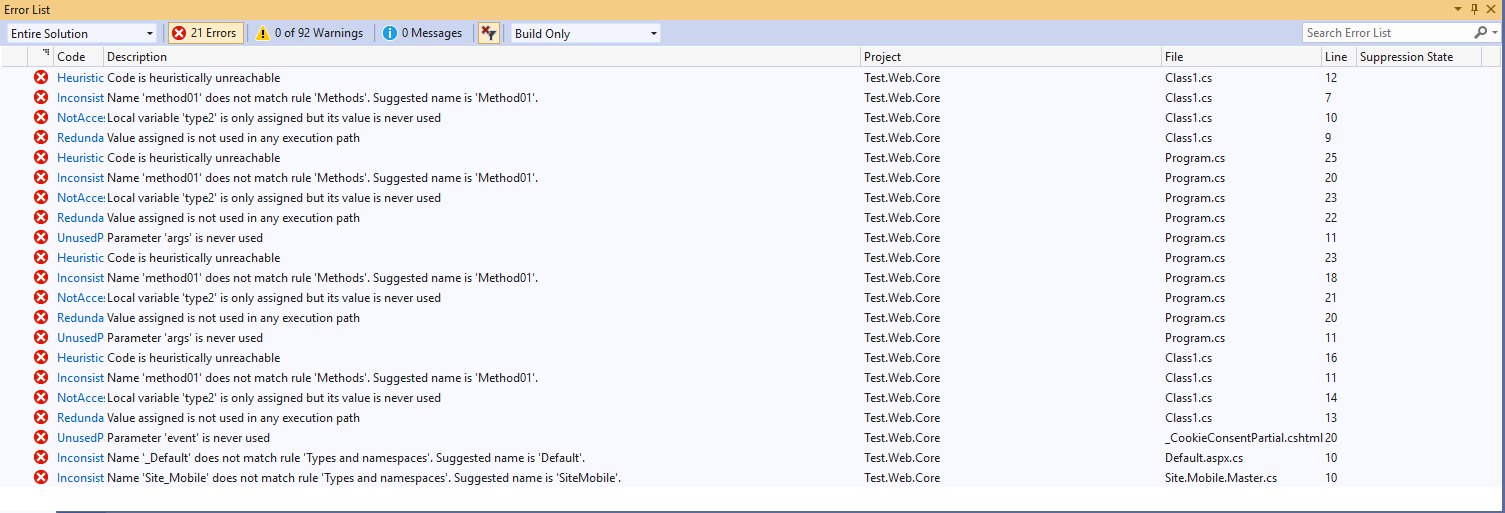
ReSharper comes with 2200+ code style rules for various languages. All these rules emphasize the industry standard best practices in our code, which ultimately removes some of the technical debts. Find below some of the issues which the rules are reporting in the sample project,
- Code is heuristically unreachable.
- Name
method01doesn’t match the rule ‘Methods’, the suggested name isMethod01. - Local variable is only assigned but its value is never used.
- Value assigned is not used in any execution path.
- Parameter is never used.
What is severity?
ReSharper has a different severity level for each rule, and we can customize the severity specific to our needs. The default severity level is Warning. ReSharper won’t force us to fix all the code style issues, but it highlights them in the editor and lists all the warnings in the Error List window under the warnings category.
It means, with the default setup, a developer can see the issue and still ignore it. We will see in the next article how we make sure that the important rules are not ignored.
Info: ReSharper highlights the validation failures with red underlined squiggles in the editor, so the developer can see them while writing the code.
What is code coverage?
Code coverage is a term used in software testing to describe how much program source code is covered by unit tests. In other words, it is a measure that tells how many lines of your code are executed while the automated tests are running.
What is dotCover?
JetBrains dotCover is a .NET unit test runner and code coverage tool. It lets us analyze how much of our .NET application code is actually being tested. By measuring method calls during unit tests or when running the application manually, dotCover shows us which statements were covered and which were not.
Why does code coverage matter?
The main purpose of dotCover is risk identification and code quality assurance. The more code is covered by tests, the safer it is to make changes without breaking something. Many software companies make a certain code coverage value a requirement that must be fulfilled before the product release.
At the same time, it is worth noting that code coverage shows how much testing you are doing but not how well you are doing it. A test without any assertion also gives the coverage, so we should not chase only the percentage.
What is in the ReSharper Ultimate installer?
We install ReSharper with the ReSharper Ultimate installer. It has more than one product, and we don’t need all of them. The following diagram shows the products,
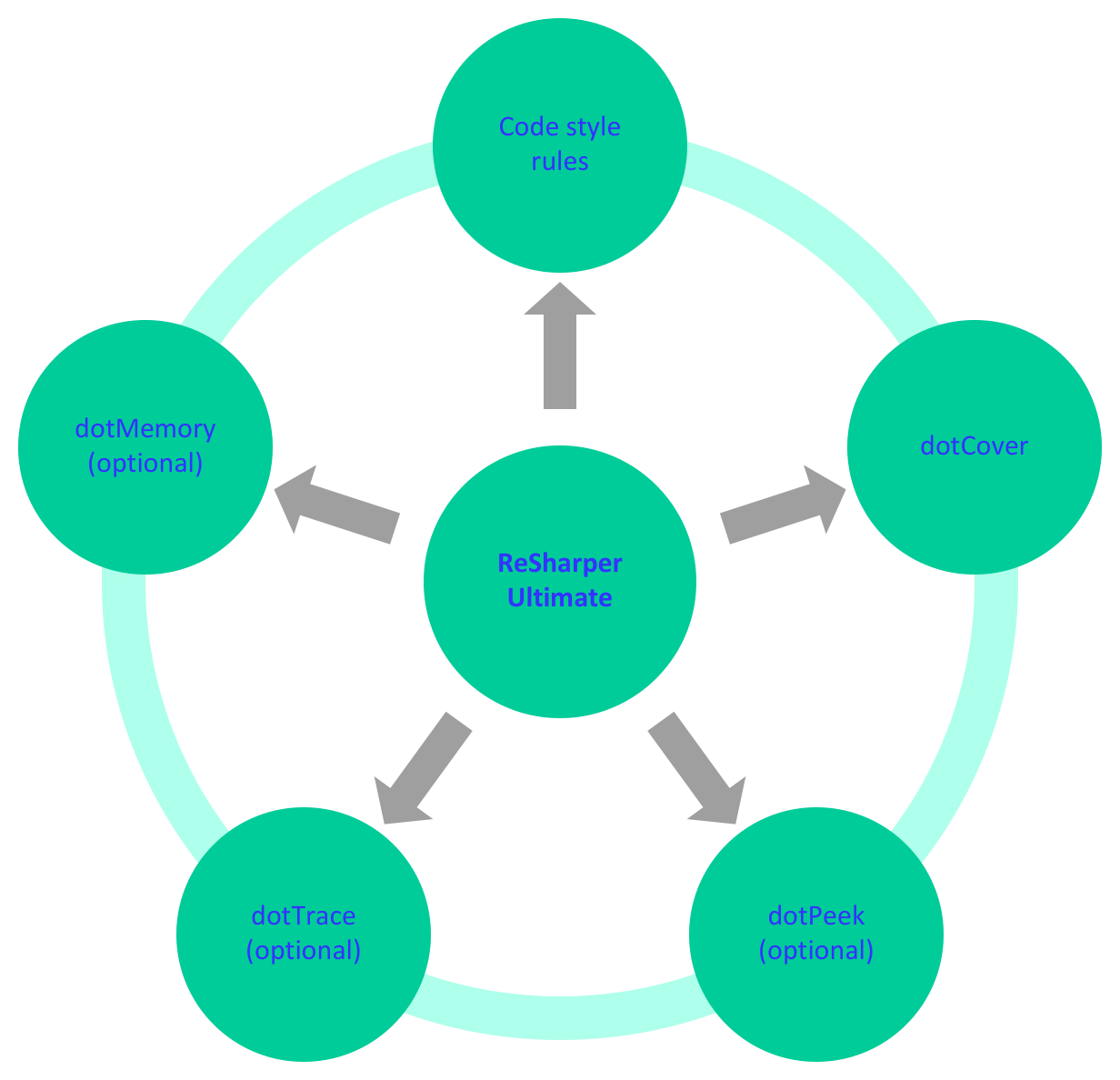
- ReSharper - The plugin with the code style rules (mandatory for us).
- dotCover - The code coverage tool (mandatory for us).
- dotPeek, dotTrace and dotMemory - They are optional.
Where to learn more?
If you are new to ReSharper, go through the following links before proceeding to the next article,
- ReSharper documentation home
- ReSharper YouTube Channel
- Online help
- ReSharper Cookbook (guidelines and best practices)
- ReSharper Key Shortcuts
- dotCover Introduction
- Getting Started with dotCover
- Code Coverage Analysis
Wrap up
In this article, we have looked at what is ReSharper, how the code style rules and the severity work, what is code coverage and what is dotCover. Thanks for reading this article. In the next article, I will walk you through how to enforce the ReSharper code style rules in the build with a NuGet package.
Related Posts
How to enforce ReSharper code style rules in the build? - Part 3
How to enforce ReSharper code style rules in the build with a NuGet package, and how to configure the NuGet package source.
ReSharper guidelines: installation, license, code coverage and troubleshooting - Part 4
The ReSharper best practices, how to install it and activate the license, the dotCover must-dos and how to troubleshoot the slowness.
Why we need ReSharper to improve the code quality? - Part 1
Why small code style issues become technical debt, and why we need immediate feedback and build enforcement with ReSharper.